
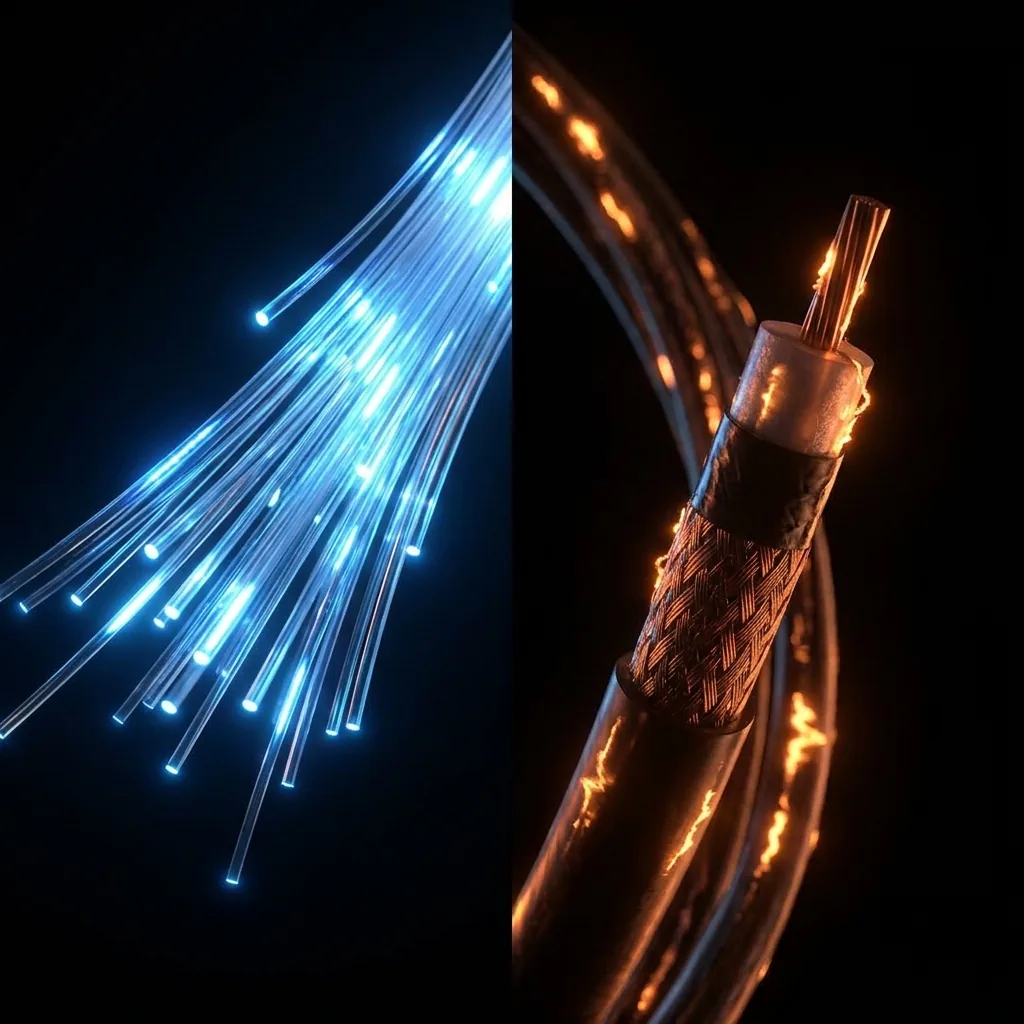
Fiber is better. That is the technically accurate short version. But the longer version has a few caveats that matter depending on what you do online, how many people share your connection, and—most often—whether fiber is actually available where you live. If it is available and within your budget, the choice is clear. If it is not, cable is a perfectly workable option for most households. Here is what actually differs between them under the hood.
2. The Head-to-Head Technical Comparison
| Metric | Fiber Optic | Cable (Coax DOCSIS) | Winner |
|---|---|---|---|
| Download speed (typical) | 300 Mbps – 5,000 Mbps | 100 Mbps – 1,200 Mbps | Fiber (tie on paper for 1 Gbps) |
| Upload speed (typical) | 300 Mbps – 5,000 Mbps (Symmetrical) | 10 – 50 Mbps (Asymmetrical) | Fiber (10x to 100x faster) |
| Idle latency | 4 – 15 ms | 18 – 35 ms | Fiber |
| Peak-hour congestion | Virtually none (Dedicated pipe) | Frequent (Shared node contention) | Fiber |
| Jitter & stability | 0.5 – 2 ms | 4 – 18 ms | Fiber |
| Monthly price | $55 – $110 / mo | $40 – $85 / mo | Cable (Budget tier) |
| US Household Availability | ~46% of households | ~88% of households | Cable (Ubiquitous) |
3. How They Are Physically Different
Cable internet runs on the same coaxial copper infrastructure originally built for cable television. The underlying protocol (DOCSIS 3.1 and emerging DOCSIS 4.0) has been pushed remarkably far by engineers. Modern cable can deliver downstream gigabit connections in many areas, but most cable deployments still use an asymmetric RF channel division: massive bandwidth allocated to downloads, but a tiny sliver allocated to upstream traffic.
Fiber uses glass or clear silica plastic strands to transmit pulses of laser light. Light signals travel through glass with minimal attenuation and zero electromagnetic interference. Fiber has astronomical physical bandwidth headroom—a single strand can transport terabits per second. The bottleneck in a fiber network is never the glass in the ground; it is merely the transceivers (switches and ONTs) at each termination point. When an ISP upgrades a fiber neighborhood from 1 Gbps to 5 Gbps, they replace electronic line cards or update software, whereas cable upgrades require excavating and replacing street-level node hardware.
4. Where Cable Really Loses: Upload Speed
This is the single most disruptive practical difference for households in 2026. A standard cable "Gigabit" plan advertises 1,000 Mbps download, but buries a puny 35 Mbps upload cap in the fine print. In contrast, a fiber gigabit plan delivers a full, unthrottled 1,000 Mbps download and 1,000 Mbps upload simultaneously.
Modern internet consumption is no longer passive television viewing. Real-time applications require robust continuous upstream bandwidth:
- High-Definition Video Conferencing: Zoom, Microsoft Teams, and Google Meet constantly upload uncompressed 1080p camera streams. When two people work remotely from home while cloud backups run, a 30 Mbps cable upload pipe quickly becomes saturated.
- Cloud Syncing & Backups: Apple iCloud, Google Photos, Dropbox, and OneDrive constantly sync photos, 4K phone video, and files in the background. On cable, a single 5 GB video upload chokes the entire connection for 20 minutes, causing web pages to lag. On fiber, it completes in under 45 seconds without impacting other users.
- Live Streaming & Content Creation: Twitch and YouTube creators uploading 1440p60 streams require constant, stable 15–25 Mbps upstream headroom with zero packet drops. Cable often experiences buffer bloat under load, dropping frames.
5. Peak-Hour Congestion: Cable's Structural Problem
Cable internet utilizes a shared tree-and-branch architecture at the neighborhood level. Your coaxial line merges with dozens or hundreds of neighbors into a local optical node. Because you share local RF spectrum with your immediate block, when everyone logs on between 7:00 PM and 10:00 PM to stream 4K movies or download game patches, total available throughput drops and latency spikes.
This is why internet slows down at night on cable. Fiber architecture (typically GPON or XGS-PON) provisions vastly higher capacity per distribution splitter, ensuring your neighbor's heavy downloading does not degrade your throughput or inflate your packet transit times.
6. Latency, Bufferbloat, and Gaming
For multiplayer competitive gaming, fiber is uncontested. Optical pulses propagate with almost zero medium-induced jitter. A fiber connection typically logs 5–12 ms ping to regional game servers, compared to 20–35 ms on cable.
Even more critical than idle ping is loaded latency (bufferbloat). When someone in your home starts streaming or downloading a file while you are in a match, cable's shallow upstream buffers quickly fill up, causing ping to jump from 25 ms to 150+ ms. Fiber connections maintain low queueing delays even when running heavy concurrent transfers. Check our guide on how to fix bufferbloat to learn how SQM routers mitigate this issue.
7. Who Should Get Fiber
If fiber is deployed in your neighborhood and priced within your monthly budget, switch immediately if you belong to any of the following categories:
- Remote Workers & Hybrid Professionals: Daily video calls, large VPN data transfers, and continuous cloud sync.
- Households with 3+ Active Users: Multiple simultaneous 4K streams, console downloads, and video chats.
- Competitive Online Gamers: Players in titles like CS2, Valorant, or Apex Legends where 10 ms jitter swings cost matches.
- Content Creators & Photographers: Anyone uploading RAW photo libraries, podcasts, or video files to YouTube, Vimeo, or client servers.
8. Who Is Fine With Cable
Cable remains a completely viable broadband option for many households under the right conditions:
- Light to Moderate Single Users: Casual browsing, streaming Netflix or Hulu on one screen, and general email.
- Markets with No Fiber Buildout: If fiber is unavailable at your address, DOCSIS 3.1 cable is far superior to legacy DSL or satellite.
- Budget-Constrained Households: If your cable provider offers a promo rate of $35/month and fiber starts at $80/month, cable provides strong value for basic needs.
9. How to Check If Your Current Connection Is Keeping Up
To determine if your current connection is suffering from peak-hour slowdowns or upstream saturation, perform a structured two-stage test:
- Run our VelocityVerify Speed Test on a weekday afternoon (around 2:00 PM) to capture your off-peak baseline.
- Run the same test again during the evening peak window (between 8:00 PM and 9:30 PM).
If your evening download throughput drops by more than 25% or your loaded ping spikes dramatically above your idle ping, your cable node is congested. If your upload speed is below 15 Mbps on an advertised "gigabit" tier, you are paying for downstream marketing while suffering upstream bottlenecks.
Compare your local results against our Global ISP Performance Index to see how your provider measures up against regional averages.
10. The Bottom Line
Fiber is superior on every measurable network dimension: throughput, symmetrical upload headroom, flat latency, and immunity to peak-hour slowdowns. Cable is an aging standard that engineers have stretched admirably, but its fundamental copper architecture cannot compete with the physics of light through glass.
If fiber is at your door, buy it. If you are on cable, monitor your connection regularly to ensure your ISP delivers the bandwidth you pay for.

About the Author: Younes Kirat
Younes is a certified Cisco Network Associate (CCNA) and Wireless Network Administrator (CWNA) leading network diagnostics at VelocityVerify. He analyzes fiber deployments, DOCSIS cable architectures, and broadband performance.
Want to benchmark your connection?
Test your download speed, upload bandwidth, loaded latency, and bufferbloat grade across independent bare-metal servers.
Run VelocityVerify Speed Test