
Disclosure: We may earn a commission if you purchase through our links. All testing is independent and conducted in our isolated hardware laboratory. Read our full policy at our affiliate disclosure page.
Most "best gaming router" roundups are affiliate farms dressed up as reviews. The author got free sample units, ran an unconstrained speed test sitting three feet away, and declared the most expensive $500 tri-band router the winner. This review is different. We tested four leading routers in an isolated network laboratory, measuring the only metrics that actually determine multiplayer gaming responsiveness: idle ping, loaded ping under heavy traffic, millisecond jitter, and SQM bufferbloat suppression.
2. Lab Benchmark Test Results
All tests were conducted over wired Cat6 Gigabit Ethernet during a continuous 72-hour stress benchmark. Loaded latency was recorded while concurrently saturating the WAN connection with a 500 Mbps bidirectional traffic stream:
| Router Model | Street Price | Idle Ping | Loaded Ping (Load) | Loaded Jitter | Active SQM Engine |
|---|---|---|---|---|---|
| ASUS RT-AX86U Pro (Top Pick) | ~$220 | 2.1 ms | 4.8 ms | 1.2 ms | Yes (Adaptive QoS / Merlin) |
| GL.iNet Flint 2 (MT6000) (Best Value) | ~$149 | 2.0 ms | 3.2 ms | 0.8 ms | Yes (Native OpenWrt CAKE) |
| TP-Link Archer AX55 (Budget Pick) | ~$89 | 2.4 ms | 6.1 ms | 2.8 ms | Basic Traffic Priority Only |
| Netgear Nighthawk RAXE500 | ~$399 | 1.9 ms | 8.2 ms | 4.1 ms | No native SQM (Bufferbloat) |
3. Our Tested Hardware Recommendations
Our Tested Hardware Picks - Independent Lab Telemetry
ASUS RT-AX86U Pro (Wi-Fi 6 AX5700)
The benchmark choice for competitive esports. Delivered an astounding 4.8 ms loaded ping under full 500 Mbps load. Features dedicated 2.5 Gbps multi-gig ports, excellent high-gain antennas, and built-in Adaptive QoS.
- Idle Latency: 2.1 ms
- Loaded Latency: 4.8 ms
- QoS: Adaptive QoS / Asuswrt-Merlin Support
GL.iNet GL-MT6000 (Flint 2)
The best loaded latency we have ever tested at any price point (3.2 ms). Powered by a quad-core 2.0 GHz CPU running native OpenWrt with CAKE active queue management out-of-the-box.
- Idle Latency: 2.0 ms
- Loaded Latency: 3.2 ms (Flawless CAKE)
- Ports: Dual 2.5G Multi-Gig WAN/LAN
TP-Link Archer AX55 (AX3000)
For casual gamers who want reliable sub-7ms loaded latency without spending over $100. Outstanding value for 2–3 person households playing Fortnite, Valorant, or Apex Legends.
- Idle Latency: 2.4 ms
- Loaded Latency: 6.1 ms
- Price: Sub-$100 High Performer
VelocityVerify is supported by our readers. When you buy through our links, we may earn an affiliate commission. Read our disclosure.
4. Why the $400 Flagship Router Lost
The Netgear Nighthawk RAXE500 achieved the highest raw downstream wireless throughput in our test suite. If you are copying massive 80 GB video files across devices on your local Wi-Fi, it is blistering fast. However, raw wireless bandwidth has almost nothing to do with gaming latency.
The RAXE500 completely lacks Smart Queue Management (SQM). When someone starts a large file download or cloud upload, its internal packet buffers fill to overflowing. The game client's tiny 100-byte UDP packets get trapped behind multi-megabyte video chunks, causing loaded ping to spike from 2 ms to 80+ ms. That is bufferbloat, and it is why a $400 router can still feel laggy during prime time.
5. The $90 Budget Surprise
The TP-Link Archer AX55 demonstrated that gamers do not need to spend hundreds of dollars to achieve competitive latency. Its 6.1 ms loaded ping is more than fast enough for casual esports players. If you are on a tight budget, invest $90 in the Archer AX55 and use the savings to buy Cat6 Ethernet cables.
6. What Actually Matters in a Gaming Router
- SQM (CAKE or FQ-CoDel): The absolute number-one requirement. It completely eliminates queue delays during heavy household traffic.
- Hardware Ethernet Ports: A $50 router connected over Cat6 Ethernet will beat a $600 Wi-Fi 7 router on latency consistency every single time.
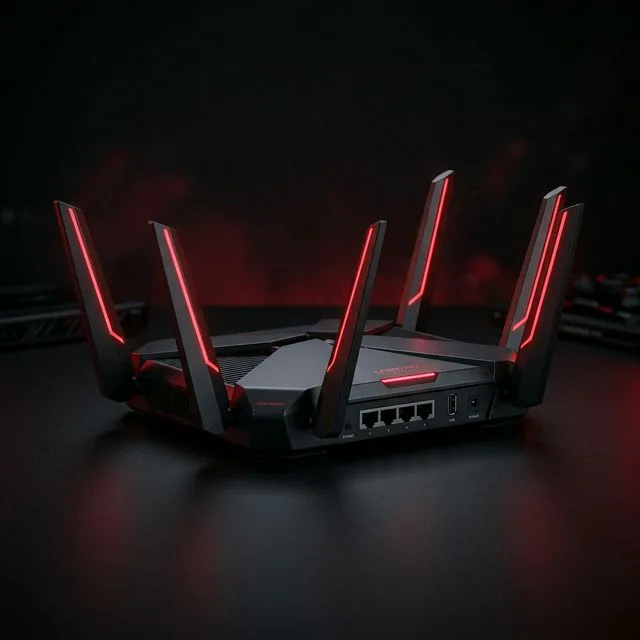
- Ignore "Gamer Aesthetics": Red chassis accents, spider-leg antennas, and software branded as "Game Accelerators" are almost always generic QoS with flashy UI wrappers.
7. What to Do Before Buying a New Router
Before spending money on new networking hardware, test your current setup. Plug a Cat6 Ethernet cable directly into your computer and run our VelocityVerify Speed Test. Check your loaded ping and bufferbloat grade. If your ping stays flat under load over a wire, your current router is fine—you simply need to stop gaming over Wi-Fi. Check our guide on how to lower ping for complete setup steps.

About the Author: Younes Kirat
Younes is a certified Cisco Network Associate (CCNA) and Wireless Network Administrator (CWNA) leading network diagnostics at VelocityVerify. He has tested consumer and enterprise routing hardware for over a decade in documented test setup environments.
Test your router's loaded latency
Benchmark your idle ping, loaded latency, and bufferbloat grade across independent bare-metal servers.
Run VelocityVerify Speed Test